For reviewers and creators · Updated 15 November 2026
Morphiqo media kit
Morphiqo is a native photo and video face-swap app for iPhone, iPad and Mac. Processing takes place on the device, with offline editing after initial setup and no Morphiqo account registration.
Product facts
- Platforms
- iPhone and iPad: iOS/iPadOS 17 or later. Mac: macOS 14 or later, Apple silicon or Intel.
- Offline processing
- Install and finish initial setup online. Keep source photos and videos locally available before disconnecting.
- Media privacy
- The native app does not upload selected photos or videos for face-swap processing. iCloud and other backups are controlled separately.
- Account and usage
- No Morphiqo account or per-swap credits. No fixed app-imposed video-duration cap; memory, storage and processing time still matter.
- Pricing
- Previewing is free. Exporting edited photos or videos requires Pro. Current prices and options are displayed in the app and vary by storefront.
- Practical limits
- Results vary with lighting, face visibility, head angle and movement. Review difficult frames and saved outputs before sharing.
See an actual result
One portrait. A different face in the same photo.
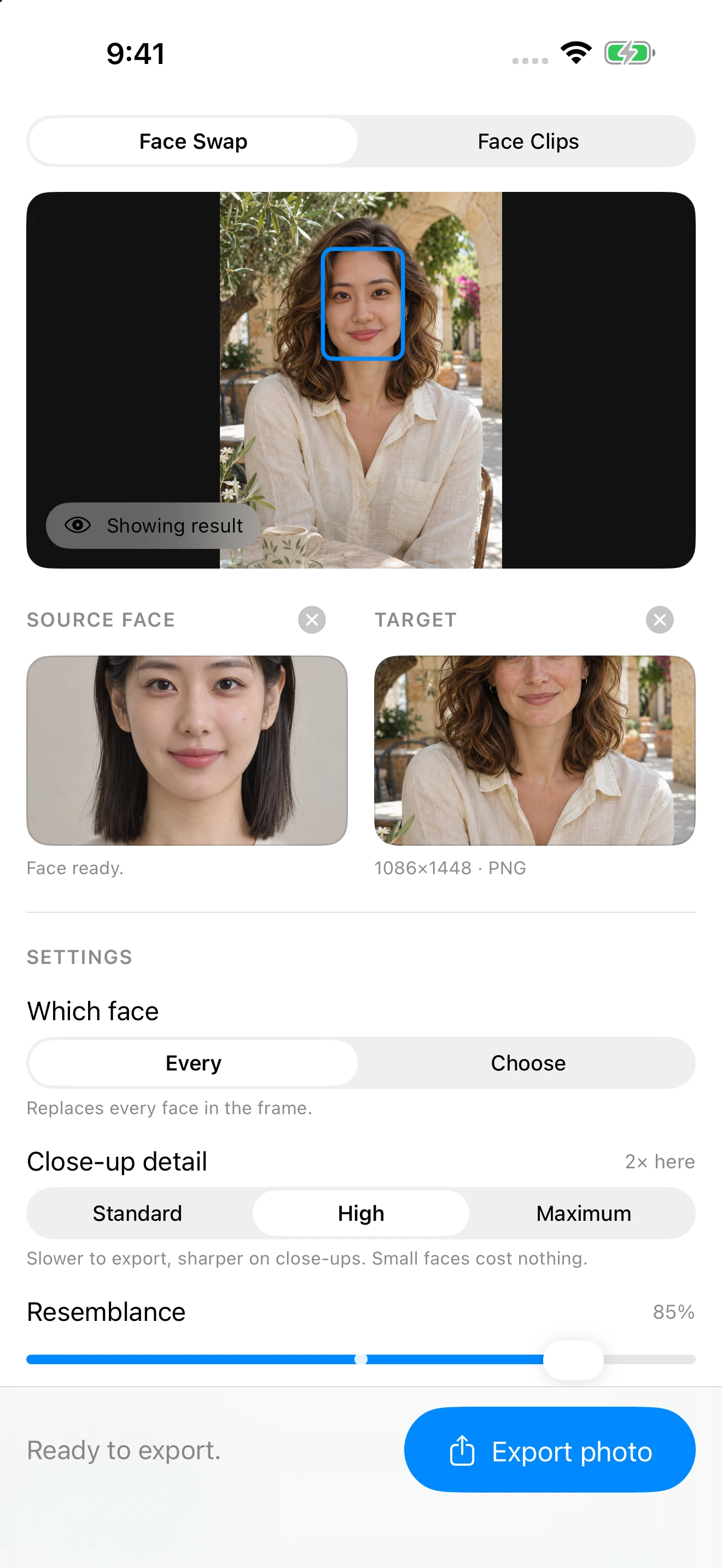
The source portrait supplies the face. The target supplies the scene. The result below was processed by Morphiqo’s native iOS face-swap pipeline in the iOS Simulator.



Both input portraits are AI-generated fictional adults. The result is an actual app render, without generative retouching. This example demonstrates one still photo, not video consistency or processing speed. Results vary with lighting, pose and settings.
See the simulator screenshot and reproduce the exampleDownload review assets
You may use these assets to describe or review Morphiqo. Label the input portraits as AI-generated and the result as an edited image. The screenshot comes from the iOS Simulator; do not present it as a physical-device benchmark or an independent endorsement.



A useful independent review
Try your own media with permission. Record your device, app version, settings and clip length; test offline after setup; inspect several frames and the exported file. Report both strengths and limitations. We do not ask for a positive rating.